
Last weekend, I challenged myself to get through an entire day of work without paying for any premium AI subscriptions. I had a blog post to finish, emails to reply to, a few images to edit, and some research for an upcoming project. Honestly, I expected to hit a paywall by lunchtime.
That didn’t happen.
Instead, I discovered that the free versions of today’s AI tools are far more capable than they were even a year ago. While paid plans certainly unlock more features, most people—including students, freelancers, content creators, and small business owners—can accomplish a surprising amount without spending a single dollar.
I’ve tested dozens of AI tools over the past year, and these are the five that consistently earn a spot in my browser bookmarks. They’re useful, reliable, beginner-friendly, and offer enough free features to make them worth trying.
If you’re wondering which free AI tools are actually worth your time in 2026, this list is a great place to start.
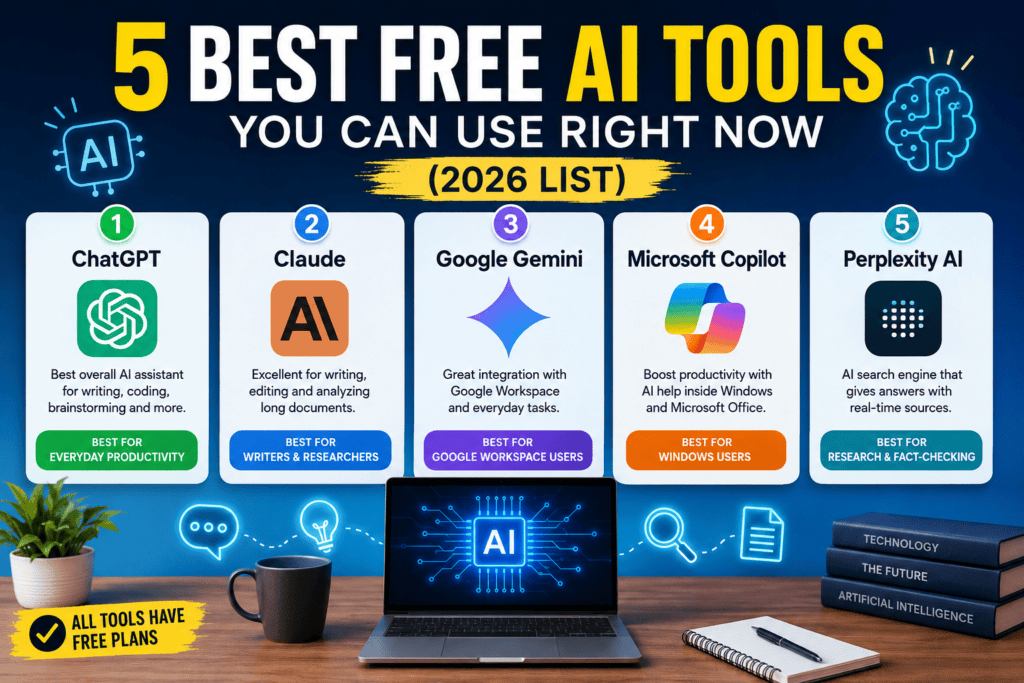
1. ChatGPT – Best Overall Free AI Assistant
If I could only keep one free AI tool, ChatGPT would probably be my choice.
It has become my everyday assistant for writing, brainstorming, coding, studying, and solving random problems throughout the day.
One morning I needed to create an outline for a blog post, debug a Python script, rewrite a professional email, and explain a networking concept to a friend. Instead of opening four different websites, I stayed inside ChatGPT for everything.
That’s where it shines.
What You Can Do
- Write articles and blog posts
- Generate emails
- Learn programming
- Fix code errors
- Brainstorm business ideas
- Summarize text
- Translate languages
- Create study notes
- Plan projects
What I Like Most
The conversations feel natural.
Instead of starting over every time, I can keep asking follow-up questions until I get exactly what I need.
Free Version Limitations
The free plan has usage limits during busy hours, and some advanced features are reserved for paid users. Still, it’s one of the most generous free AI assistants available.
Best for:
- Students
- Bloggers
- Developers
- Small businesses
- Everyday productivity
2. Claude – Best for Writing and Long Documents
Claude surprised me the first time I uploaded a lengthy research paper.
I expected it to summarize a few sections.
Instead, it analyzed the document, highlighted important points, explained confusing paragraphs, and even suggested improvements.
Since then, I often use Claude whenever I’m editing articles or reading long PDFs.
Why It Stands Out
Claude produces some of the most natural writing I’ve seen from an AI assistant.
It doesn’t just rewrite sentences.
It usually improves clarity without making the text sound robotic.
Great Uses
- Research papers
- Academic writing
- Editing blog posts
- Reviewing reports
- Summarizing books
- Improving grammar
Things to Know
The free version has daily usage limits, but they’re usually enough for personal projects and occasional professional work.
Best for:
- Writers
- Researchers
- Students
- Editors
3. Google Gemini – Best for Google Workspace Users
If most of your work happens in Gmail, Google Docs, Google Drive, or Google Sheets, Gemini deserves a place on your shortlist.
I noticed the biggest difference while organizing work documents.
Instead of copying information between different apps, Gemini could help summarize documents, answer questions, and assist with writing while staying inside Google’s ecosystem.
That convenience saves more time than many people realize.
Useful Features
- Email assistance
- Document summaries
- Spreadsheet help
- Brainstorming
- Travel planning
- General research
My Experience
Gemini has improved significantly over the past couple of years.
While I still prefer ChatGPT for creative writing, Gemini feels especially comfortable when working with Google services.
Best for:
- Google Workspace users
- Office workers
- Students
- Business professionals
4. Microsoft Copilot – Best Free AI for Windows Users
If you use Windows every day, you’ve probably already seen Microsoft Copilot.
At first, I ignored it.
Then I started using it for quick searches, writing assistance, and coding help.
It quickly became one of those tools that’s simply convenient because it’s already available.
Where Copilot Helps
- Writing documents
- Creating presentations
- Coding assistance
- Quick research
- Office productivity
- Windows-related questions
For Microsoft 365 users, the experience becomes even smoother.
Even without a paid subscription, the free version offers enough functionality for everyday tasks.
Best for:
- Windows users
- Microsoft Office users
- Professionals
- Students
5. Perplexity AI – Best Free AI Search Engine
Sometimes I don’t want an AI to write an essay.
I just want an answer with reliable sources.
That’s where Perplexity AI comes in.
Instead of generating long responses filled with unnecessary text, it focuses on answering questions while showing the websites used to build the response.
I’ve found it especially useful when researching technical topics or checking facts before publishing articles.
What Makes It Different
Unlike traditional search engines where you open ten different tabs, Perplexity combines search and AI into a single experience.
It saves a surprising amount of time.
Great For
- Research
- Fact-checking
- Learning
- Comparing products
- Academic references
- Technical questions
Best for:
- Researchers
- Journalists
- Bloggers
- Students
Comparison Table
| Tool | Best For | Free Plan | My Rating |
|---|---|---|---|
| ChatGPT | Everyday productivity | ✅ Yes | ⭐⭐⭐⭐⭐ |
| Claude | Writing & documents | ✅ Yes | ⭐⭐⭐⭐⭐ |
| Gemini | Google Workspace | ✅ Yes | ⭐⭐⭐⭐☆ |
| Microsoft Copilot | Windows productivity | ✅ Yes | ⭐⭐⭐⭐☆ |
| Perplexity AI | Research & fact-checking | ✅ Yes | ⭐⭐⭐⭐⭐ |
Which Free AI Tool Should You Choose?
After using all five, here’s what I recommend based on different needs.
Choose ChatGPT if you want…
- One AI for almost everything
- Coding help
- Content creation
- Learning new skills
- Brainstorming ideas
Choose Claude if you…
- Read long documents
- Write frequently
- Edit articles
- Work on research papers
Choose Gemini if you…
- Live inside Google Docs
- Use Gmail every day
- Work with Google Sheets
- Want better Google integration
Choose Microsoft Copilot if you…
- Use Windows daily
- Work in Microsoft Office
- Need quick productivity help
Choose Perplexity AI if you…
- Want reliable sources
- Research products
- Compare information
- Fact-check articles
Common Mistakes People Make
Expecting AI to Replace Human Judgment
AI is a fantastic assistant, but it’s not perfect.
I still double-check important facts, especially when writing articles or making business decisions.
Only Using One Tool
Each AI has different strengths.
Sometimes I brainstorm with ChatGPT, polish the writing in Claude, and verify information with Perplexity.
Using multiple tools often produces better results than relying on just one.
Ignoring the Free Versions
Many people assume the paid versions are necessary from day one.
In reality, most beginners can accomplish a lot with the free plans before deciding whether an upgrade is worthwhile.
Tips for Getting Better Results
After months of daily use, a few simple habits have noticeably improved the quality of AI responses:
- Be specific with your prompts instead of asking vague questions.
- Provide context, such as your audience or goal.
- Ask follow-up questions to refine the answer.
- Break large tasks into smaller steps.
- Verify important information using trusted sources.
These small changes often make a bigger difference than switching to a different AI tool.
Final Thoughts
The free AI landscape in 2026 is better than it’s ever been. You no longer need an expensive subscription just to experience what modern AI can do.
If you’re just starting out, ChatGPT offers the best all-around experience for most people. If writing and document analysis are your priorities, Claude is hard to beat. Gemini is a smart choice for anyone deeply invested in Google’s ecosystem, Microsoft Copilot works naturally for Windows users, and Perplexity AI is excellent when accurate, source-backed research matters.
The good news is that all five offer free access, so you can spend a few days with each and see which one fits your workflow. After using them regularly, you’ll likely find that no single AI tool does everything perfectly—but together, they can dramatically improve the way you work, learn, and create.
References
- OpenAI – ChatGPT: https://chatgpt.com/
- Anthropic – Claude: https://claude.ai/
- Google – Gemini: https://gemini.google.com/
- Microsoft – Copilot: https://copilot.microsoft.com/
- Perplexity AI: https://www.perplexity.ai/