
I still remember sitting in a late-night study session during university, laptop open, five browser tabs hanging, and my notes scattered between Google Docs, WhatsApp messages, and a random Notion page I had created “just to test it.”
I had one simple task: organize my semester notes so I could revise them before exams.
Instead, I ended up confused about where anything actually was.
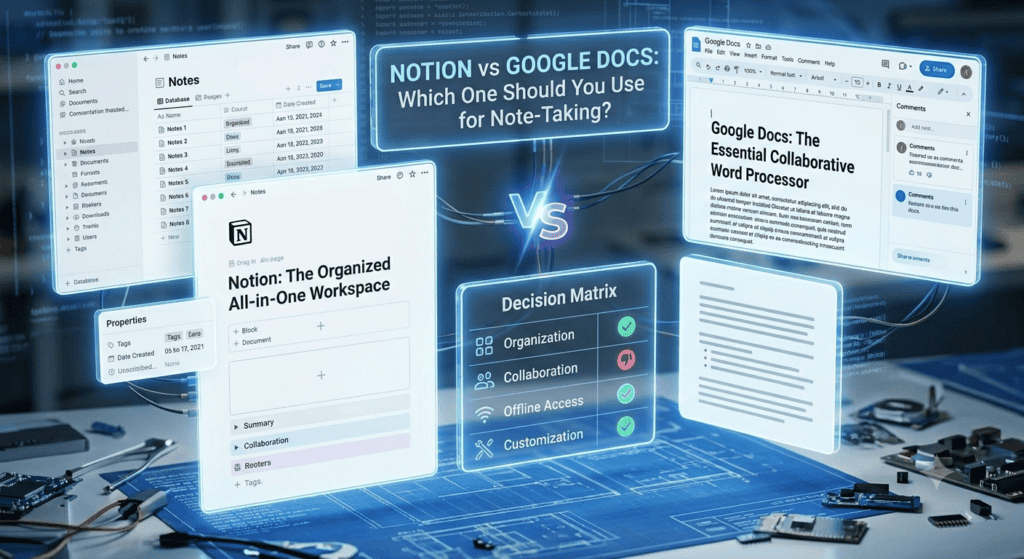
That was the moment I properly started comparing Notion and Google Docs — not as “cool tools everyone talks about online,” but as actual daily note-taking systems.
And honestly, the difference between them only becomes clear when you actually live inside them for a while.
The real struggle: simple notes vs structured chaos
At first, I was a pure Google Docs user. It felt familiar. Open doc → type → done.
But over time, my notes started turning into a mess:
- “CS Notes Final Final Updated”
- “Copy of Copy of Lecture 3”
- Random shared links from groupmates
- No proper structure for subjects
Finding anything later felt like scrolling through a junk drawer.
Then I switched to Notion after seeing everyone online call it a “second brain.”
Spoiler: it didn’t magically fix everything—but it did change how I think about notes.
Google Docs: the comfort zone that just works
Let’s be fair—Google Docs is not fancy, but it’s reliable. And that matters more than people admit.
What it’s actually good at
When I used Google Docs daily, these things stood out:
- It opens instantly on any device
- Collaboration is effortless (especially group assignments)
- Auto-save is basically flawless
- Formatting is simple and predictable
For straight-up writing—essays, assignments, reports—it still feels unbeatable.
I once wrote a 20-page assignment in Google Docs while switching between my phone and laptop. No syncing issues, no confusion. That’s something you start appreciating only when other tools fail you.
Where it starts to break
But after a while, problems show up:
- No real structure beyond folders
- Everything looks the same visually
- Searching works, but feels messy with too many docs
- It becomes hard to connect related notes
Google Docs is like a notebook stack. Useful, but flat.
If your brain works in sections, categories, or systems, it starts feeling limiting.
Notion: the “organized brain” that takes effort to build
When I first opened Notion, I honestly didn’t get it.
It felt like:
“Why is everything a block… and why do I need a tutorial just to write a note?”
But once I started building my system, things changed.
I created:
- A dashboard for each semester
- Subject-wise pages
- Lecture databases
- Assignment trackers
- Revision checklists
And suddenly, my messy notes started feeling… connected.
What makes Notion powerful
Notion isn’t just a note app. It’s more like building your own workspace.
Here’s what stood out in real use:
- You can create databases (not just pages)
- Notes can be linked together
- You can mix text, tables, images, and checklists
- Everything is searchable and structured
- It feels like building a personal knowledge system
One thing that surprised me: I stopped losing notes.
Not because I became more organized—but because Notion forces structure naturally.
Real-life comparison: how I used both in actual study routine
To make things simple, here’s how my workflow looked during exam season:
Google Docs use case
- Writing long answers
- Making assignment drafts
- Collaborating with classmates
- Quick note dumps during lectures
Notion use case
- Organizing all subjects in one dashboard
- Tracking syllabus completion
- Storing lecture summaries
- Making revision plans
- Keeping formulas and concepts in one place
So instead of choosing one, I accidentally started using both.
And that’s when it clicked:
They’re not competitors in the same way people think.
Step-by-step: how I set up Notion for note-taking (simple version)
If you’re starting from scratch, don’t overcomplicate it like I did.
Here’s a clean setup that actually works:
Step 1: Create a main dashboard
Call it something like:
- “Study Hub”
- “Notes System”
- “University Workspace”
Step 2: Add subjects as pages
Example:
- Data Structures
- Web Development
- AI
- Software Engineering
Step 3: Inside each subject, add:
- Lecture notes
- Assignments
- Important links
- Quick revision section
Step 4: Use a simple database (optional but powerful)
Make a table like:
- Lecture Name
- Date
- Status (Completed / Pending)
- Priority
Step 5: Keep it simple
This is where I messed up initially—I tried to make it too aesthetic.
Notion works best when it’s functional, not decorative.
Step-by-step: how I organize Google Docs properly
Google Docs needs less setup, but more discipline.
Here’s what helped me:
Step 1: Use clear folder structure in Drive
Example:
- Semester 5
- Subject Name
- Assignments
- Notes
- Subject Name
Step 2: Standard naming system
Instead of:
- “final doc 2”
Use:
- “DSA_Lecture_03_Stacks”
Step 3: One doc per topic
Avoid mixing everything in one file.
Step 4: Use headings properly
This helps search inside long notes.
Simple, but it saves hours later.
Where people usually go wrong (I did too)
1. Overbuilding Notion
I spent hours designing dashboards instead of studying. Big mistake.
Notion is not a productivity trophy—it’s a tool.
2. Using Google Docs like a dump yard
If everything goes into one doc, it becomes useless after a month.
3. Switching tools too often
I tried switching back and forth weekly. That killed consistency.
4. Ignoring search features
Both tools have strong search—but only if you name things properly.
So which one is actually better?
If I’m being honest from real usage:
Choose Google Docs if:
- You just need writing and assignments
- You collaborate a lot
- You want zero learning curve
- You prefer simplicity over structure
Choose Notion if:
- You want organized study systems
- You manage multiple subjects/projects
- You like visual structure
- You want long-term knowledge storage
But here’s the truth most blogs don’t say:
Most people end up using both.
And that’s actually the most practical setup.
My current setup (what finally worked)
After months of switching, I settled on this:
- Notion = brain (organization)
- Google Docs = writing space (execution)
So I plan everything in Notion, then write in Google Docs.
It feels less like “choosing a tool” and more like dividing responsibilities.
And weirdly, that removed a lot of stress I didn’t even realize I had.
Final thoughts
If you’re stuck between Notion and Google Docs, the real issue usually isn’t the tools—it’s trying to force one app to do everything.
Google Docs is fast, simple, and reliable.
Notion is structured, flexible, and powerful—but takes time to set up properly.
Once I stopped treating them as rivals and started using them for what they’re actually good at, my note-taking system finally stopped feeling chaotic.
And honestly, that’s what matters most—not the app, but whether you can actually find your notes when you need them at 2 AM before an exam.
References (useful for deeper exploration)
- Notion Official Help Center: https://www.notion.so/help
- Google Docs Help: https://support.google.com/docs
- Comparison insights from productivity communities like r/Notion and r/productivity on Reddit: https://www.reddit.com/r/Notion/
- General workspace organization concepts inspired by digital note-taking systems (Zettelkasten method): https://zettelkasten.de/introduction/